
There are tablets.
There are expensive tablets.
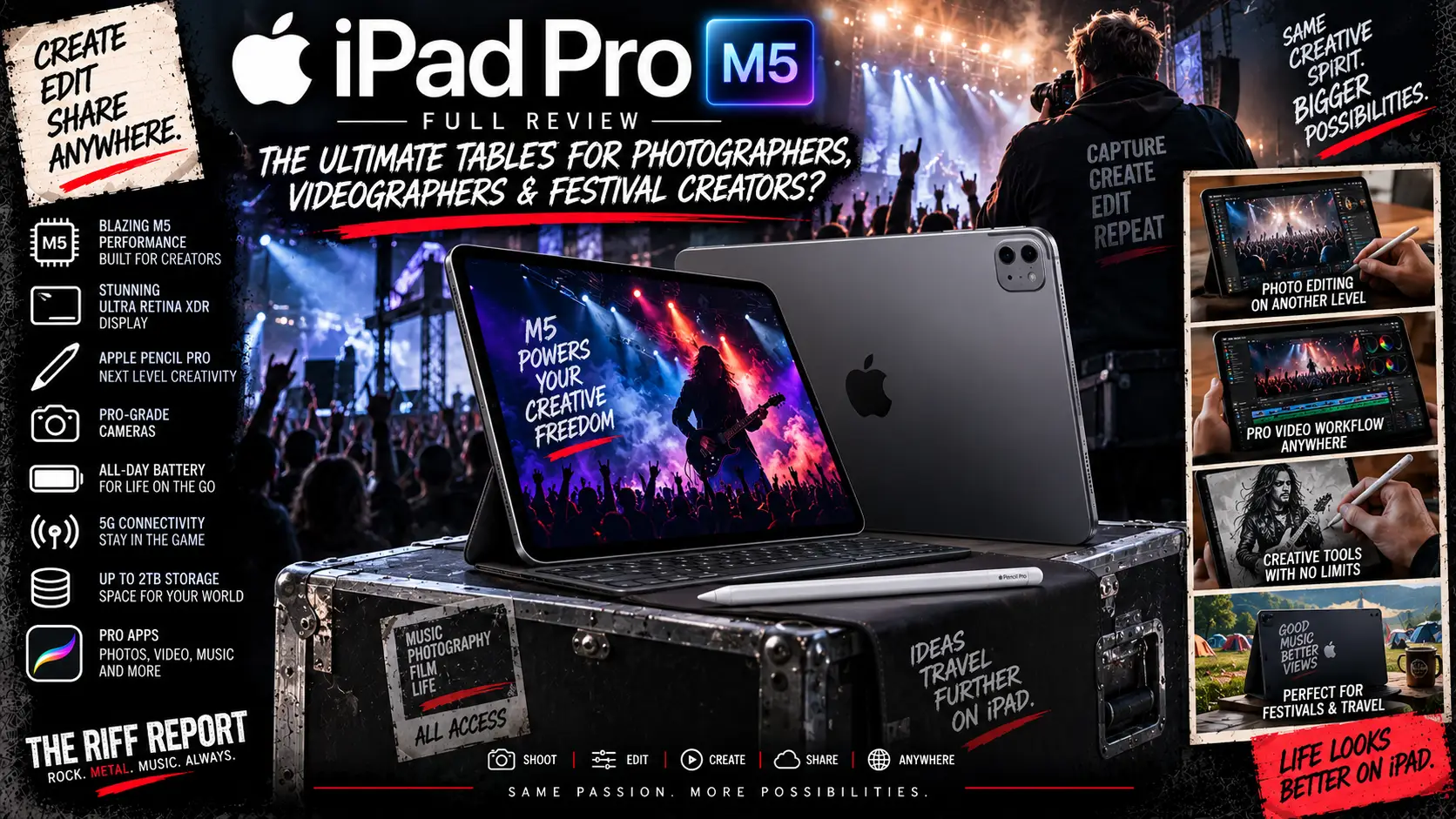
And then there is the Apple iPad Pro — the machine that Apple has spent years gradually turning into something dangerously close to a portable creative workstation.
The latest version packs Apple’s monstrously powerful M5 chip, a stunning Ultra Retina XDR tandem OLED display, Thunderbolt connectivity, up to 2TB of storage, as much as 16GB of RAM, Apple Pencil Pro support and enough processing muscle to make plenty of laptops start nervously checking their CVs.
For photographers, videographers, concert creators and festival media teams, though, raw power isn’t everything.
Can you actually edit hundreds of RAW photographs on it?
Can it handle 4K video?
Can you connect an SD card?
How good is that OLED screen when you’re editing photographs?
How heavy is it after you’ve been lugging it around a festival for twelve hours?
And perhaps most importantly:
How frightening does the price become once Apple accessories enter the room?
Grab a coffee, find the nearest plug socket and protect the bank card.
This is The Riff Report’s full iPad Pro M5 review.
🍎 iPad Pro M5 – Specifications At A Glance
The current iPad Pro comes in two sizes:
11-Inch iPad Pro
- Display: 11-inch Ultra Retina XDR
- Panel: Tandem OLED
- Resolution: 2420 × 1668
- Refresh Rate: Adaptive 10Hz–120Hz ProMotion
- Processor: Apple M5
- RAM: 12GB or 16GB
- Storage: 256GB, 512GB, 1TB or 2TB
- Rear Camera: 12MP Wide
- Front Camera: 12MP landscape Centre Stage
- Connectivity: Wi-Fi 7, Bluetooth 6
- Port: Thunderbolt / USB 4
- Weight: 444g Wi-Fi / 446g Cellular
- Thickness: 5.3mm
- Battery: 31.29Wh
- Starting Price: £999
13-Inch iPad Pro
- Display: 13-inch Ultra Retina XDR
- Panel: Tandem OLED
- Resolution: 2752 × 2064
- Refresh Rate: Adaptive 10Hz–120Hz ProMotion
- Processor: Apple M5
- RAM: 12GB or 16GB
- Storage: 256GB, 512GB, 1TB or 2TB
- Rear Camera: 12MP Wide
- Front Camera: 12MP landscape Centre Stage
- Connectivity: Wi-Fi 7, Bluetooth 6
- Port: Thunderbolt / USB 4
- Weight: 579g Wi-Fi / 582g Cellular
- Thickness: 5.1mm
- Battery: 38.99Wh
- Starting Price: £1,299
Both models use Apple’s M5 chip, with 256GB/512GB versions receiving a 9-core CPU and 12GB RAM, while the 1TB and 2TB versions move up to a 10-core CPU and 16GB RAM. (Apple)
🚀 Apple M5 – Completely Ridiculous Tablet Performance
The M5 chip is the heart of the latest iPad Pro.
And calling this thing fast feels rather like describing Motörhead as a little bit noisy.
It’s massive overkill for browsing Facebook.
It’s massive overkill for Netflix.
It’s probably massive overkill for typing emails.
But for creative work?
That’s where everything starts making sense.
Applications such as Final Cut Pro, DaVinci Resolve, Lightroom, Affinity Photo, Photoshop and Logic Pro can exploit the sort of performance that was traditionally reserved for proper laptop hardware.
Large RAW photographs?
No problem.
Multi-layer image edits?
Easy.
4K video?
Absolutely.
Multiple video streams, colour correction and effects?
Now we’re getting somewhere.
Apple’s M5 also includes hardware acceleration for formats including:
- H.264
- HEVC
- ProRes
- ProRes RAW
- AV1 decoding
For videographers, that’s enormously useful.
The iPad Pro genuinely has enough processor power to function as a mobile editing workstation.
The bigger question is whether iPadOS lets you use all that power exactly how you’d like.
More on that shortly.
🧠 RAM – Here’s Where The Storage Choice Matters
Unlike many computers, you don’t simply choose the amount of RAM independently.
Apple ties memory to storage configuration.
256GB
12GB RAM
512GB
12GB RAM
1TB
16GB RAM
2TB
16GB RAM
The 1TB and 2TB models also receive the slightly more powerful 10-core CPU, while the smaller storage configurations use a 9-core CPU. (Apple)
For ordinary use and photography, 12GB is plenty.
Even considerable RAW editing workloads should run beautifully.
Videographers dealing with larger projects, lots of effects and heavier multitasking may appreciate the additional memory of the 1TB model.
Unfortunately, Apple makes you pay handsomely to get there.
🤩 That OLED Display Is Absolutely Magnificent
This is arguably the main reason creative professionals should be interested in the iPad Pro.
Both sizes use Apple’s Ultra Retina XDR tandem OLED display.
Instead of using a conventional single OLED layer, Apple essentially stacks OLED technology to achieve impressive brightness while retaining all the advantages OLED is known for.
That means:
- Gorgeous black levels
- Excellent contrast
- Fantastic HDR
- Rich colours
- Excellent viewing angles
- Superb response times
Peak HDR brightness reaches 1,600 nits, while full-screen SDR and HDR brightness can reach 1,000 nits.
The contrast ratio is rated at 2,000,000:1. (Apple)
And then there’s ProMotion.
The display dynamically operates between 10Hz and 120Hz, meaning animation, scrolling, Apple Pencil input and video editing all feel beautifully smooth.
For photographers and videographers, though, colour reproduction matters more than flashy refresh-rate figures.
The iPad Pro supports P3 wide colour, True Tone and Apple’s colour-managed workflows.
Photographs look absolutely glorious.
HDR video looks fantastic.
And when you’re showing finished images to bands, clients or artists backstage, there aren’t many tablets that make your work look better.
☀️ Editing Photographs Outdoors
For festival photographers, this matters.
Editing photographs inside a dark press room is one thing.
Trying to check focus and exposure at 2pm while the sun is bouncing directly off your screen is another matter entirely.
At up to 1,000 nits full-screen brightness, the standard display performs very well.
Apple also offers its nano-texture glass option on 1TB and 2TB configurations.
Nano-texture reduces reflections considerably and can be brilliant in bright working environments. (Apple)
For outdoor festival editing?
It’s genuinely attractive.
But there are trade-offs.
Nano-texture displays require more careful cleaning, they cost extra, and some photographers may prefer the slightly punchier appearance of the standard glossy glass.
For most people we’d stick with standard glass.
For somebody regularly editing outdoors?
Nano-texture becomes much easier to justify.
📸 Photography – One Of The Best Mobile Editing Devices Around
Pair the iPad Pro with Lightroom and it becomes a frighteningly capable mobile photography workstation.
Import your RAW files.
Cull photographs.
Correct exposure.
Adjust white balance.
Apply masks.
Edit colours.
Remove distractions.
Export images.
Upload them.
Potentially all without opening a laptop.
The Apple Pencil Pro is particularly brilliant for precise masking and retouching.
Trying to make detailed selections using a finger works.
Using a Pencil feels infinitely better.
For concert photography, that could mean shooting the first three songs, returning to the press area, importing your photographs and getting edited shots online while the headline band is still playing.
That’s extremely powerful for publications, social teams and touring photographers.
💾 Does The iPad Pro Have An SD Card Reader?
No.
And this is one area where Apple deserves a little groan.
There is no built-in SD or microSD card reader.
If you’re a photographer, you’ll need:
- A USB-C SD card reader
- A USB-C hub
- A Thunderbolt dock
- Or a direct USB-C connection from your camera
Thankfully, the iPad Pro’s port is extremely capable.
It supports Thunderbolt 3 and USB 4 at up to 40Gb/s. (Apple)
With a fast card reader and fast CFexpress or SD cards, transfers can therefore be extremely quick.
But we’d still love Apple to stick an SD slot on the thing.
Photographers everywhere would probably throw a small party.
💽 External SSD Support
This is where Thunderbolt becomes enormously useful.
You can connect fast external SSDs directly to the iPad Pro.
That’s excellent for:
- Backing up festival photographs
- Moving video footage
- Handling enormous project files
- Carrying archived shoots
- Transferring content between Mac and iPad
Modern versions of iPadOS have made file management considerably better than it used to be.
It’s still not quite macOS.
But it’s no longer the absolute wrestling match it once was.
🎬 Video Editing – Proper Professional Potential
This is where the M5 starts flexing.
Final Cut Pro exists for iPad.
DaVinci Resolve exists for iPad.
LumaFusion remains excellent.
Adobe’s mobile tools continue developing.
And the M5 has more than enough performance for serious video editing.
The iPad Pro can decode and encode ProRes through dedicated hardware.
You can connect Thunderbolt SSDs.
You can attach an external monitor.
You can connect microphones.
You can add keyboard shortcuts through the Magic Keyboard.
Suddenly you’re not using a toy.
You’re using a legitimate mobile editing system.
For festival media teams shooting short interviews, backstage clips and social content, this could be fantastic.
Drop footage onto the iPad.
Cut it.
Colour it.
Add titles.
Export.
Upload.
Done.
No giant workstation required.
🎥 Camera Quality
The iPad Pro has a 12MP f/1.8 Wide rear camera.
It can shoot:
- 4K/24fps
- 4K/25fps
- 4K/30fps
- 4K/60fps
- 1080p video
- Slow-motion 1080p
- ProRes video
There’s also a LiDAR scanner, which is useful for augmented reality, measuring environments and certain professional workflows.
The front camera is a 12MP landscape Centre Stage camera.
Putting the front camera along the landscape edge makes enormously more sense when you’re using the iPad on a keyboard for video calls.
Image quality is good.
But let’s be realistic.
You’re probably carrying a phone with considerably more sophisticated camera hardware.
And if you’re a Riff Report photographer, you’ve hopefully got an actual Sony, Canon or Nikon somewhere nearby.
The cameras are useful.
They’re not why you buy an iPad Pro.
⚠️ One Important Video Limitation On The 256GB Model
If video is your priority, pay attention here.
Apple restricts internal ProRes recording on the 256GB model to 1080p at 30fps.
Higher-capacity models can record ProRes up to 4K/30fps internally. (Apple)
That’s another reason serious videographers may want to skip the entry model.
🔊 Speakers – Still Brilliant
Apple continues to fit the iPad Pro with a four-speaker audio system.
And it remains one of the best tablet speaker systems around.
There’s real stereo separation.
Dialogue sounds clear.
Music has impressive width.
There’s surprisingly decent low-end considering how thin the tablet is.
Editing spoken-word interviews without headphones is perfectly practical.
Checking an audio mix is possible.
Watching films is excellent.
Would we master an album through them?
Absolutely not.
Would we happily edit backstage footage using them?
Yes.
🎙️ Microphones
The iPad Pro uses a four-microphone array.
They’re surprisingly useful for:
- Video calls
- Voice notes
- Scratch audio
- Interviews in reasonably controlled environments
- Reference recordings
For proper gig interviews, however, you’ll still want an external microphone.
Festival wind plus screaming crowds plus an internal tablet microphone equals audio chaos.
Thunderbolt/USB-C makes attaching audio hardware relatively straightforward.
⌨️ Magic Keyboard – This Changes Everything
Attach Apple’s Magic Keyboard and the iPad Pro suddenly feels much closer to a laptop.
You get:
- Backlit keys
- Function row
- Large glass trackpad
- Haptic feedback
- Adjustable floating design
- USB-C pass-through charging
The typing experience is excellent.
The trackpad is superb.
Editing text, navigating timelines and managing files becomes considerably easier.
Unfortunately, Apple has remembered that it is Apple and priced accordingly.
11-Inch Magic Keyboard
£299
13-Inch Magic Keyboard
£349 (Apple)
Ouch.
It’s a cracking keyboard.
But £349 is also approaching the price of an entire budget laptop.
✏️ Apple Pencil Pro
For photographers, artists and editors, Apple Pencil Pro is arguably the accessory to buy.
It costs £129. (Apple)
It supports pressure and precision input while features such as squeeze controls and haptic feedback make it especially pleasant for creative apps.
For Lightroom masking?
Lovely.
Photoshop retouching?
Excellent.
Storyboarding?
Brilliant.
Taking handwritten festival notes?
Absolutely.
You can use the cheaper Apple Pencil USB-C at £79, but creative professionals will probably want the Pro version.
🔌 Ports – One Very Powerful Port
You get one physical Thunderbolt / USB-C port.
That’s it.
It’s extremely fast.
It supports:
- Thunderbolt
- USB 4
- USB 3
- Charging
- DisplayPort
- External storage
- Cameras
- Card readers
- Audio interfaces
- Hubs and docks
External display support reaches up to 6K at 60Hz or 4K at 120Hz. (Apple)
But you still only get one port.
For desk use, a decent Thunderbolt hub quickly becomes essential.
🔋 Battery Life
Apple rates both versions for up to approximately 10 hours of web browsing or video playback over Wi-Fi, dropping to around nine hours when using cellular data. (Apple)
That sounds straightforward.
Creative workloads are another matter.
RAW editing will drain power faster.
Exporting video drains it faster.
Maximum screen brightness drains it faster.
Running an SSD from the iPad drains it faster.
Using 5G drains it faster.
A photographer lightly editing throughout a festival day could manage comfortably with sensible power management.
A videographer repeatedly importing and exporting 4K footage should absolutely carry a decent USB-C power bank.
⚡ Fast Charging
The current iPad Pro supports fast charging.
With a compatible 60W or higher USB-C adapter, Apple says the battery can reach roughly 50% in around 30 minutes. (Apple)
That’s enormously useful during festivals.
Find a press-room plug.
Stick it on charge.
Go grab some food.
Come back.
You’ve suddenly got a substantial amount of battery again.
Apple’s 70W USB-C power adapter is priced at £59. (Apple)
🪶 Weight – Which One Would We Take To A Festival?
11-Inch
444g
13-Inch
579g
On paper, the 135g difference doesn’t sound enormous.
After carrying cameras, lenses, batteries, credentials, water and everything else around a festival site for twelve hours?
You’ll notice it.
The 11-inch model is the better festival machine.
It’s easier to hold.
Easier to fit into camera bags.
Easier to use standing up.
Easier to carry between stages.
The 13-inch model gives you a glorious canvas for editing, but it’s much more of a desk, hotel or press-room device.
For a concert photographer regularly moving between stages?
11-inch wins.
For a videographer doing substantial timeline editing back at the media centre?
13-inch wins.
🎒 How Easy Is It To Use At A Gig?
Very.
Particularly the 11-inch model.
Imagine this workflow:
Shoot the support band.
Return to the press room.
Connect your SD reader.
Import RAW files.
Select your strongest images.
Edit them in Lightroom.
Export.
Upload them to The Riff Report.
Schedule the article.
Head back out for the next band.
That’s exactly the kind of workflow where the iPad Pro shines.
There’s no booting a bulky laptop.
No balancing a computer on your knees.
No fighting a tiny trackpad while somebody is using your shoulder as a walkway.
You can even edit with the Apple Pencil while standing.
That’s genuinely useful.
🌧️ The Big Festival Warning – Weather
There’s one obvious concern.
The iPad Pro isn’t something we’d cheerfully expose to festival rain.
And because this is Britain — and especially because this is Wales — sunshine can become horizontal rain in approximately seventeen seconds.
Keep it inside a waterproof sleeve.
Keep it inside your camera bag.
Do not leave it sitting on a picnic table during a Steelhouse cloudburst.
Your £1,500 creative workstation does not need the authentic Welsh weather experience.
📶 Wi-Fi Or Cellular For Festivals?
Apple offers both Wi-Fi and Wi-Fi + Cellular versions.
Cellular versions support 5G through eSIM. (Apple)
For ordinary home use, we’d probably buy Wi-Fi and tether from a phone.
For journalists, photographers and social teams working at festivals?
Cellular becomes much more attractive.
Festival Wi-Fi can range from excellent to something apparently powered by two potatoes and a bent coat hanger.
Having your own 5G connection can be invaluable when you’re trying to upload photographs against a deadline.
💷 iPad Pro M5 UK Pricing
Right then.
Everyone hide the credit card.
11-Inch iPad Pro – Wi-Fi
Storage
RAM
Price
256GB
12GB
£999
512GB
12GB
£1,199
1TB
16GB
£1,599
2TB
16GB
£1,999
The 11-inch range starts at £999, with Apple currently listing 512GB at £1,199, 1TB at £1,599 and 2TB at £1,999. (Apple)
13-Inch iPad Pro – Wi-Fi
Storage
RAM
Price
256GB
12GB
£1,299
512GB
12GB
£1,499
1TB
16GB
£1,899
2TB
16GB
£2,299
Apple’s current UK pricing lists the 13-inch model from £1,299, rising through £1,499 for 512GB, £1,899 for 1TB and £2,299 for 2TB. (Apple)
💸 Now Add The Accessories…
Here’s where your sensible tablet purchase turns into a financial progressive-metal concept album.
11-Inch Creative Setup
11-inch 256GB iPad Pro: £999
Magic Keyboard: £299
Apple Pencil Pro: £129
Total: £1,427
And that’s before:
- SD card reader
- External SSD
- Protective case
- USB-C charger
- AppleCare+
- Software subscriptions
💸 13-Inch Creative Setup
13-inch 256GB iPad Pro: £1,299
Magic Keyboard: £349
Apple Pencil Pro: £129
Total: £1,777
Suddenly we’re very firmly in premium-laptop territory.
🎬 The Setup We’d Recommend For Videographers
For serious video creators we’d probably skip 256GB.
Our sweet spot would be:
13-Inch iPad Pro 512GB
£1,499
Magic Keyboard
£349
Apple Pencil Pro
£129
Total
£1,977
Add an external SSD and card reader and you’re realistically entering the £2,000+ range.
That’s serious money.
But also serious capability.
📸 The Setup We’d Recommend For Festival Photographers
Our choice would actually be:
11-Inch iPad Pro 512GB
£1,199
Apple Pencil Pro
£129
USB-C Card Reader
Allow roughly £20–£50
You could skip the Magic Keyboard if you’re primarily editing photographs.
Approximate Cost:
£1,348–£1,378
That’s still expensive.
But it’s wonderfully portable.
💾 Which Storage Should You Buy?
256GB
Fine for:
- Everyday use
- Streaming
- Moderate photography
- Cloud storage
- External SSD users
But serious photographers will fill it surprisingly quickly.
512GB
🏆 Our Recommended Sweet Spot
This is the version we’d choose for most photographers and creators.
Enough storage for plenty of:
- RAW photographs
- Video files
- Apps
- Offline media
- Projects
Without the truly eye-watering jump to 1TB.
1TB
This is where things become interesting.
You get:
- 1TB storage
- 16GB RAM
- 10-core CPU
- Nano-texture display option
For serious creative work, this is arguably the real Pro configuration.
Unfortunately, your bank account may require counselling.
2TB
You know who you are.
Large video projects.
Massive RAW libraries.
Professional production work.
Or someone whose answer to “Do you really need 2TB?” is simply:
“Yes.”
🖥️ Can The iPad Pro Replace A Laptop?
Ah.
The eternal iPad question.
Hardware-wise?
Absolutely.
The M5 is absurdly powerful.
The OLED display is fantastic.
Thunderbolt is excellent.
The keyboard is good.
External monitor support exists.
The performance isn’t the problem.
Software remains the dividing line.
iPadOS has become considerably more capable, particularly with multitasking and window management.
But there are still moments when traditional macOS or Windows workflows are easier.
File management.
Certain plug-ins.
Specialist professional applications.
Complex multi-window workflows.
External device support.
Some web-development tools.
If your working life revolves around Lightroom, Photoshop, Final Cut, Resolve, email, WordPress and browser-based publishing?
You may genuinely be able to use the iPad Pro as your primary machine.
If you rely on obscure desktop software?
Check compatibility first.
🎮 Gaming
The M5 is also a ridiculous gaming chip.
Modern iPads can run increasingly ambitious titles alongside Apple Arcade and traditional mobile games.
Controller support is excellent.
The tandem OLED display makes games look phenomenal.
The four speakers sound cracking.
But unlike the REDMAGIC Astra 2, this isn’t a gaming-first tablet.
You don’t get:
- Dedicated gaming cooling
- 185Hz display
- Gaming trigger systems
- Special gaming interface
- Dual gaming USB-C ports
Apple’s approach is much broader.
The Astra 2 is a gaming monster.
The iPad Pro is an everything monster.
🆚 iPad Pro Vs REDMAGIC Astra 2
This is actually quite an interesting battle.
iPad Pro M5
REDMAGIC Astra 2
Starting Price
£999
£599
Display
Tandem OLED
OLED
Refresh Rate
120Hz
185Hz
Processor
Apple M5
Snapdragon 8 Elite Gen 5
Main Focus
Creative / Productivity
Gaming
Built-In Gaming Cooling
No
Yes
Apple Pencil / Stylus
Excellent
More limited ecosystem
Professional Creative Apps
Excellent
Android ecosystem
Thunderbolt
Yes
No equivalent 40Gb/s Thunderbolt
SD Reader
No
No
Cellular Option
Yes
No
Max Storage
2TB
512GB
Max RAM
16GB
16GB
Best For Gaming
Astra 2
Astra 2
Best For Creatives
iPad Pro
Astra 2
Best Value
Astra 2
Astra 2
For pure gaming?
Buy the REDMAGIC.
For editing photographs and video professionally?
Buy the iPad Pro.
Simple as that.
👍 The Good
- Incredible M5 performance
- Absolutely stunning OLED display
- Brilliant colour reproduction
- Superb for Lightroom
- Excellent video-editing performance
- Thunderbolt / USB 4
- Fast external SSD support
- Apple Pencil Pro is fantastic
- Great speakers
- Excellent build quality
- Extremely thin
- Good battery life
- 5G option
- Up to 2TB storage
- 12GB RAM even on entry models
- 16GB RAM on 1TB/2TB models
- Excellent for festival photographers
- Great software ecosystem
👎 The Not-So-Good
- Very expensive
- Magic Keyboard costs £299–£349
- Apple Pencil Pro costs another £129
- No SD card reader
- Only one Thunderbolt port
- 1TB required to get 16GB RAM
- Nano-texture restricted to expensive models
- iPadOS still isn’t macOS
- 13-inch model becomes less convenient at festivals
- Full creative setup can exceed £2,000
- Rear camera isn’t particularly exciting
- Accessories make the true price considerably higher
🎪 Which Model Would The Riff Report Choose?
For general photography and festival use:
🏆 11-Inch iPad Pro 512GB – £1,199
Why?
It’s lighter.
It’s easier to carry.
512GB is useful.
12GB RAM is plenty.
The OLED screen is excellent.
Thunderbolt handles card readers and SSDs.
And you avoid pushing the price into complete madness.
Add Apple Pencil Pro and you’ve got a phenomenal mobile photography workstation.
For serious video editing?
We’d move to:
🎬 13-Inch iPad Pro 1TB
The larger screen makes timelines considerably easier to manage, while 1TB brings 16GB RAM and the 10-core CPU.
Expensive?
Absolutely.
Powerful?
Ridiculously.
🏆 The Riff Report Verdict
The M5 iPad Pro is one of those products where the hardware has almost become comically capable.
Apple has put laptop-class processing power into something barely over five millimetres thick.
The screen is phenomenal.
Performance is monstrous.
Battery life is strong.
The speakers are brilliant.
Thunderbolt makes external storage and professional accessories genuinely practical.
And for photographers, the combination of Lightroom, Apple Pencil and that glorious OLED screen is genuinely difficult to beat.
Videographers get something even more impressive.
With Final Cut Pro, DaVinci Resolve, external SSD support and the M5’s dedicated media hardware, the iPad Pro can legitimately function as a serious portable editing workstation.
The biggest problem remains price.
An 11-inch iPad Pro starts at £999.
A 13-inch starts at £1,299.
Start adding keyboards, pencils, storage upgrades and accessories and £2,000 suddenly doesn’t look difficult to reach.
At that point, comparisons with a MacBook Pro become unavoidable.
But viewed purely as a portable creative tool?
The iPad Pro is phenomenal.
For photographers covering gigs and festivals, we’d take the 11-inch 512GB model.
For videographers doing heavier editing, we’d take the 13-inch 1TB model.
And if all you want to do is watch Netflix and scroll through Facebook?
For the love of Lemmy, save yourself a grand and buy something cheaper.
⭐ The Riff Report Score: 9.5/10
📸 Photography: 9.5/10
🎬 Video Editing: 9.5/10
🖥️ Display: 10/10
🚀 Performance: 10/10
🔋 Battery: 9/10
🔊 Speakers: 9.5/10
⌨️ Keyboard Experience: 9/10
🎪 Festival Portability: 9/10 – 11-inch
🎪 Festival Portability: 7.5/10 – 13-inch
💾 Storage Options: 9/10
🔌 Connectivity: 8.5/10
💷 Value: 7.5/10
🤘 Final Word
The M5 iPad Pro is less a tablet and more a ridiculously thin creative workstation with an OLED screen bolted to the front.
For photographers and videographers, it’s frighteningly capable.
For festival media work, the 11-inch version might be one of the finest portable editing machines you can chuck into a camera bag.
Just remember:
The iPad might start at £999. Apple accessories have other plans for your bank account. 🍎📸🎬🤘