
There are tablets.
There are large tablets.
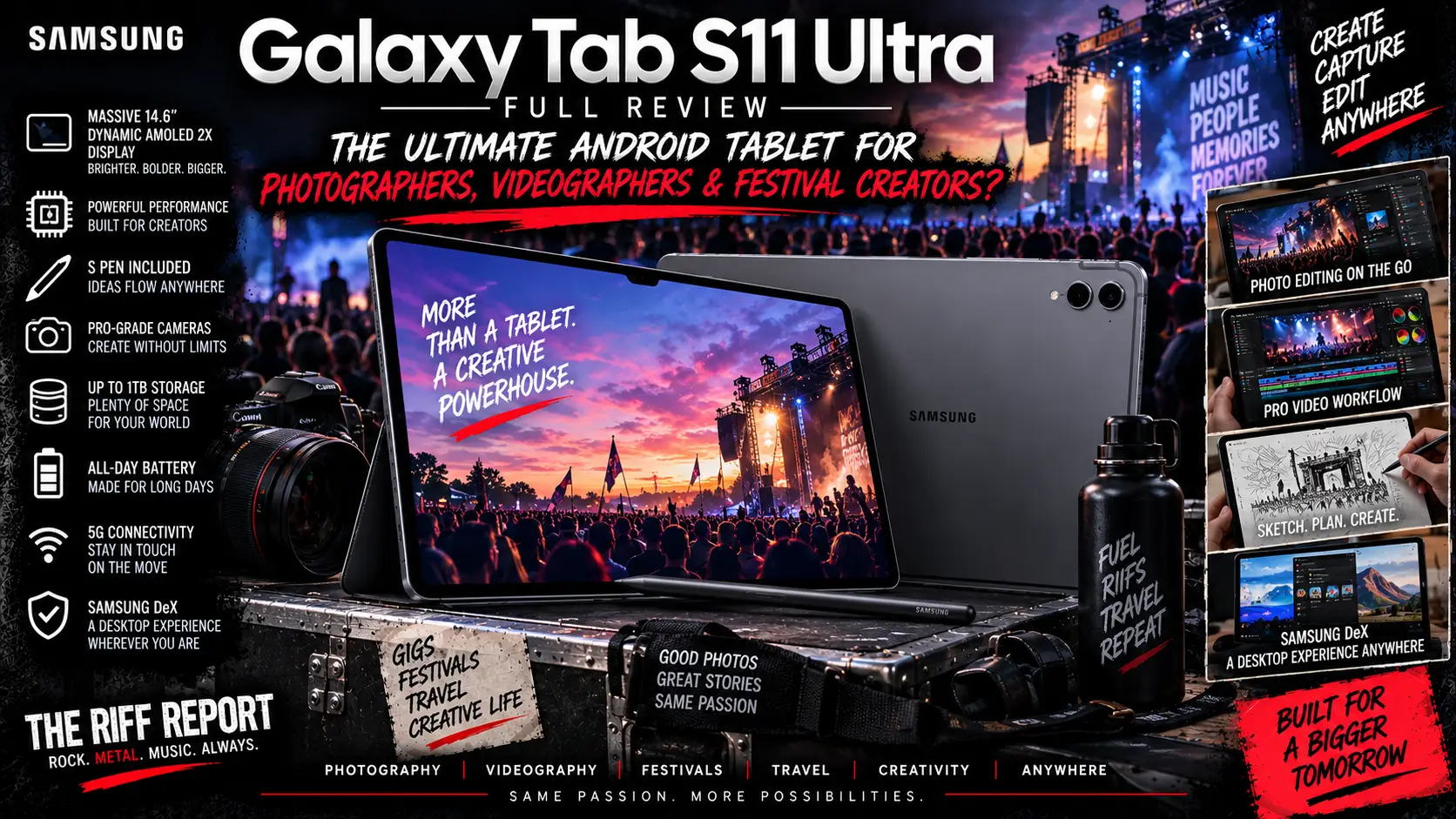
And then there is the Samsung Galaxy Tab S11 Ultra.
At 14.6 inches, this thing doesn’t exactly sneak quietly into the room. Samsung has essentially taken a premium laptop-sized AMOLED display, shaved the body down to an absurd 5.1mm, stuffed Android inside it and handed you an S Pen.
Subtle?
Absolutely not.
Glorious?
Quite possibly.
The Galaxy Tab S11 Ultra sits at the very top of Samsung’s Android tablet range, combining a huge Dynamic AMOLED 2X display, MediaTek Dimensity 9400+ processor, up to 16GB RAM, 1TB internal storage, microSD expansion up to 2TB, Samsung DeX, optional 5G, IP68 protection and an enormous 11,600mAh battery.
And unlike the iPad Pro, Samsung actually puts the stylus in the box.
Steady on, Apple.
But this isn’t a cheap machine.
UK pricing starts at £1,199, while the biggest 5G version reaches a rather wallet-troubling £1,699.
So the question isn’t whether the Galaxy Tab S11 Ultra is impressive.
It clearly is.
The question is whether photographers, videographers, music journalists and festival creators should genuinely consider spending laptop money on this giant slab of Android goodness.
Grab the camera bag, fire up Lightroom and make some room on the desk.
This is The Riff Report’s full Samsung Galaxy Tab S11 Ultra review.
⚙️ Samsung Galaxy Tab S11 Ultra – Specifications At A Glance
- Display: 14.6-inch Dynamic AMOLED 2X
- Resolution: 2960 × 1848
- Refresh Rate: Up to 120Hz
- Peak Brightness: Up to 1,600 nits
- High Brightness Mode: Up to 1,000 nits
- Processor: MediaTek Dimensity 9400+
- RAM: 12GB or 16GB
- Storage: 256GB, 512GB or 1TB
- Expandable Storage: microSD up to 2TB
- Rear Cameras: 13MP Wide + 8MP Ultra-Wide
- Front Camera: 12MP Ultra-Wide
- Video Recording: Up to 4K/30fps
- Battery: 11,600mAh
- Charging: 45W wired
- Operating System: Android 16 with One UI 8
- Speakers: Quad-speaker system
- Wi-Fi: Wi-Fi 7
- Bluetooth: Bluetooth 5.4
- 5G: Available
- USB: USB-C 3.2 Gen 1
- Water & Dust Resistance: IP68
- S Pen: Included
- Dimensions: 326.3 × 208.5 × 5.1mm
- Weight: 692g Wi-Fi / 695g 5G
- Colours: Grey or Silver
- UK Price: From £1,199
Samsung’s official specifications confirm the display, storage configurations, cameras, battery, connectivity and dimensions.
🤯 First Impressions – This Thing Is Massive
You really need to understand the scale of the Galaxy Tab S11 Ultra.
14.6 inches.
That’s larger than the displays on plenty of laptops people use every day.
Put it next to an ordinary 10-inch Android tablet and the smaller device starts looking like somebody accidentally left their phone on the table.
Yet Samsung somehow keeps the body only 5.1mm thick.
That’s bonkers.
Even more impressively, the Wi-Fi model weighs 692g.
That’s obviously not featherweight, but considering the enormous display, battery and hardware Samsung has squeezed inside, it’s surprisingly manageable.
Pick it up and there is an immediate feeling of premium hardware.
The aluminium construction feels properly expensive.
The bezels are narrow.
The cameras don’t dominate the back.
And the whole machine has that clean, understated Galaxy design Samsung has refined over several generations.
It certainly looks like a £1,200 tablet.
Which is fortunate.
Because it is one.
🖥️ 14.6-Inch Dynamic AMOLED 2X – Absolutely Magnificent
This is the star of the show.
Forget the processor.
Forget Galaxy AI.
Forget DeX for a moment.
That 14.6-inch Dynamic AMOLED 2X display is the reason many people will fall in love with this thing.
The resolution is 2960 × 1848, while the panel can operate at up to 120Hz.
OLED means individual pixels can switch themselves off completely.
That gives you properly deep blacks rather than the slightly grey blacks associated with many conventional LCD displays.
For ordinary Netflix viewing, lovely.
For photographers editing a concert photograph featuring black backgrounds, smoke, spotlights and deep stage shadows?
Much more important.
Dark areas have tremendous depth.
Colours jump off the panel.
Contrast is superb.
Photographs look enormous.
Video timelines have space to breathe.
And movies look glorious.
Samsung says peak brightness can reach 1,600 nits, with up to 1,000 nits in High Brightness Mode.
That’s particularly welcome for people working outside.
☀️ Outdoor Visibility – Festival Photographers, Pay Attention
Anybody who has covered festivals knows the problem.
You’ve just photographed a band.
You find somewhere outside the press tent.
You open Lightroom.
Then the sun appears.
Suddenly your expensive display becomes a mirror featuring a lovely portrait of your own confused face.
Samsung has done quite a lot here to make the S11 Ultra genuinely usable outside.
The Ultra combines its high brightness with an anti-reflection display treatment, helping reduce glare compared with a conventional glossy tablet panel.
It’s still a screen.
Direct summer sunshine can overpower practically anything.
But for reviewing photographs around a festival site, this is significantly more practical than plenty of older tablets.
And because the screen is so enormous, checking sharpness becomes easy.
Zoom into the vocalist.
Check the eyes.
Check focus.
Look for motion blur.
Inspect noise.
Make sure that glorious wall of stage smoke hasn’t completely murdered your contrast.
The Tab S11 Ultra gives photographs room to breathe.
📸 Photography – This Is Where The Galaxy Tab S11 Ultra Makes Serious Sense
For photographers, this might be one of the most convincing uses for the S11 Ultra.
Adobe Lightroom works very well on Android.
Combine that with:
- 14.6-inch AMOLED display
- Included S Pen
- 12GB or 16GB RAM
- Fast processor
- USB-C connectivity
- microSD expansion
- External SSD support
and you’ve got yourself a very capable mobile photo-editing workstation.
A realistic gig workflow could be:
Photograph support band → leave photo pit → connect card reader → import RAW files → select best shots → edit → export JPEGs → upload to publication → return for next band.
That’s exactly the sort of situation where a tablet can actually be more pleasant than a laptop.
You can sit with it.
Stand with it.
Use the S Pen.
Pass it to somebody else.
Quickly swipe through images.
Zoom with your fingers.
And then return it to your bag.
✏️ S Pen – And Samsung Includes It
Praise be.
The S Pen comes in the box.
No £100+ additional stylus bill.
Samsung has redesigned the S Pen for the S11 generation with a more traditional hexagonal shape.
It feels more like an actual pen.
For photographers it can be extremely useful.
Lightroom masking becomes easier.
Small adjustments become more precise.
Retouching feels natural.
Writing notes on images is simple.
You can mark photographs before sending them to somebody.
Illustrators and designers will obviously get even more from it.
One notable change is that this generation’s S Pen doesn’t support Bluetooth functionality.
So some of the remote-control style features found on certain earlier S Pens are gone.
For drawing and photo editing?
Not remotely a deal-breaker.
For people who loved Bluetooth Air Actions?
Worth knowing.
💾 microSD – Samsung Deserves A Round Of Applause
Ready for something absolutely radical?
Samsung lets you increase the storage.
I know.
Wild stuff.
The Galaxy Tab S11 Ultra supports microSD cards up to 2TB.
That is an enormous advantage for photographers and video creators.
The tablet itself comes with:
256GB
12GB RAM
512GB
12GB RAM
1TB
16GB RAM
But then you can add up to another 2TB using microSD.
Suddenly the cheapest 256GB version becomes far more interesting.
You could use internal storage for:
- Apps
- Current projects
- Active Lightroom files
while using microSD for:
- Exported photographs
- Videos
- Music
- Offline films
- Archived content
- Documents
It doesn’t completely replace fast internal storage.
Some professional workloads will always perform better from internal flash or an external SSD.
But having expandable storage is massively useful.
🔌 USB-C – Good, But We’d Like More Than One
The Galaxy Tab S11 Ultra uses USB-C 3.2 Gen 1.
That allows you to connect plenty of useful hardware:
- SD card readers
- External SSDs
- USB drives
- Audio interfaces
- Keyboards
- Mice
- USB hubs
- Monitors
That’s excellent for a creative tablet.
However, there’s only one USB-C port.
Once you’ve attached a card reader, SSD or monitor, you’ll probably find yourself reaching for a hub if you also need charging.
Considering how enormous the tablet is, we’d happily sacrifice another tiny section of aluminium for a second USB-C port.
REDMAGIC managed it.
Come on, Samsung.
🚀 Performance – Dimensity 9400+ Has Plenty Of Muscle
Samsung has chosen MediaTek’s Dimensity 9400+.
It’s a flagship-level processor built for serious Android performance.
And for the overwhelming majority of tablet workloads, it’s properly quick.
Opening apps?
Immediate.
Large Lightroom edits?
Smooth.
Multiple browser tabs?
Easy.
DeX multitasking?
No drama.
Gaming?
Excellent.
Video streaming?
Obviously effortless.
Samsung says CPU performance has improved substantially compared with the previous Galaxy Tab S10 Ultra, alongside gains in GPU and AI performance.
Independent benchmark testing, however, shows an important distinction.
Apple’s M5 iPad Pro is considerably faster in raw CPU and graphics benchmarks.
Tom’s Guide recorded Geekbench 6 scores of 2,811 single-core and 9,126 multi-core for the Galaxy Tab S11 Ultra, versus 4,155 and 16,517 for the M5 iPad Pro.
That’s a substantial difference.
But benchmark charts aren’t the entire story.
The S11 Ultra still feels extremely responsive during normal use.
You’re not going to open Spotify and start screaming:
“DAMN YOU, MEDIATEK!”
The issue becomes more relevant if you’re buying the tablet specifically for the heaviest professional creative workloads.
🧠 12GB Or 16GB RAM?
The 256GB and 512GB versions include 12GB RAM.
That’s plenty.
Seriously.
You can edit photographs, multitask in DeX, browse with numerous tabs, run office applications and jump between apps without needing to panic about memory.
The 1TB model receives 16GB RAM.
That’s the option we’d consider if:
- You’re keeping the tablet for many years
- Heavy multitasking is normal
- You’re regularly working with large creative projects
- You’re using DeX as a genuine laptop replacement
But don’t feel like the 12GB model is some compromised budget configuration.
It absolutely isn’t.
🖥️ Samsung DeX – Android’s Biggest Productivity Weapon
Samsung DeX remains one of the Galaxy Tab family’s killer features.
Switch into DeX and Android begins behaving much more like a conventional desktop operating system.
Applications run in windows.
You can resize them.
Move them around.
Run multiple apps.
Use keyboard shortcuts.
Connect a mouse.
Attach an external display.
Suddenly this giant tablet begins making sense as an alternative to a lightweight laptop.
Imagine a festival press room.
You could have:
Chrome open with WordPress
alongside:
Lightroom
alongside:
alongside:
Google Drive
with Spotify quietly murdering your concentration somewhere in the background.
That’s where DeX shines.
Samsung has continued refining DeX with support for different workspaces, allowing you to organise different sets of applications for different jobs.
For journalists and content creators, that’s genuinely useful.
⌨️ Book Cover Keyboard Slim – Useful, But There Are Compromises
Samsung sells a Book Cover Keyboard Slim specifically for the Tab S11 Ultra.
It attaches through Samsung’s POGO interface and adds a physical keyboard and integrated stand.
There’s also an AI key and shortcut access for DeX.
The keyboard itself weighs approximately 466g.
Add that to the tablet’s 692g weight and your complete setup comes to roughly:
1.16kg
That’s still reasonable for a laptop-sized workstation.
But suddenly the ultra-light tablet has gained quite a bit of luggage.
There is another important limitation.
There’s no trackpad.
That’s disappointing.
The whole point of DeX is moving closer to a desktop experience.
A trackpad would’ve made the Book Cover Keyboard considerably more convincing.
Instead, we’d strongly consider pairing it with a Bluetooth mouse.
The stand also uses a fixed-angle design rather than giving you the enormous adjustment range of a conventional laptop hinge.
It’s useful.
It’s neat.
But Samsung could have made it substantially better.
⌨️ How Good Is The Keyboard For Writing Articles?
Perfectly usable.
For writing gig reviews, news stories, emails and social posts, a physical keyboard transforms the tablet.
You can realistically write an entire review from the S11 Ultra.
Samsung’s huge screen is particularly helpful because you can have research or notes sitting beside the article you’re writing.
Would we choose the keyboard over a proper mechanical keyboard at home?
No.
Would we happily type a 1,500-word gig review on it from a festival press room?
Absolutely.
The bigger concern is whether you actually want to carry the keyboard around all day.
If your primary job is photography, we’d probably leave it at the hotel or press area.
🎬 Video Editing – Powerful Hardware Meets Android’s Biggest Limitation
The Galaxy Tab S11 Ultra has plenty of processing power for editing video.
CapCut?
Easy.
LumaFusion?
Absolutely.
KineMaster?
No problem.
Short-form social videos?
Excellent.
YouTube editing?
Perfectly viable.
Festival interviews?
Definitely.
Multi-camera promotional social content?
Sure.
The 14.6-inch display is fantastic for timelines.
There is loads of horizontal space.
OLED contrast helps when examining footage.
The S Pen can assist with precise timeline adjustments.
And external storage makes moving large files easier.
The issue isn’t really Samsung’s hardware.
It’s Android.
The professional creative application ecosystem still doesn’t match what Apple offers on iPadOS or what you’ll find on Windows and macOS.
The M5 iPad Pro has access to an increasingly serious collection of professional creative software.
A laptop still offers the deepest choice.
So while the Tab S11 Ultra is a very capable video-editing machine, we’d hesitate to call it the ultimate professional video workstation.
🎥 Editing Festival Videos
Where it makes much more sense is rapid content creation.
Imagine:
Interview a band backstage.
Transfer footage.
Drop it into your editor.
Trim the beginning.
Fix the audio.
Add Riff Report branding.
Add captions.
Export.
Upload.
All before the next band finishes soundchecking.
For that workflow?
Brilliant.
The giant screen gives you considerably more room than editing on your phone while retaining better portability than a traditional workstation laptop.
🔊 Sound Quality – Quad Speakers Bring The Noise
Samsung fits the Tab S11 Ultra with a quad-speaker setup.
And the size of the tablet actually works in its favour.
There’s plenty of physical separation between the speakers.
Stereo effects have genuine width.
Dialogue comes through clearly.
Films sound excellent.
YouTube sounds great.
Games have proper presence.
Music playback is strong for a tablet.
Obviously you’re not replacing a proper set of studio monitors.
Bass can only do so much in something 5.1mm thick.
But for casual listening and reviewing video edits?
These speakers are very impressive.
For serious audio editing, plug in headphones or an audio interface.
There is no traditional 3.5mm headphone socket.
USB-C or Bluetooth is the way forward.
📸 Rear Cameras – Useful, Not Exciting
On the back you get:
- 13MP main camera
- 8MP ultra-wide camera
Video recording reaches up to 4K at 30fps.
The cameras are perfectly useful for:
- Scanning documents
- Photographing paperwork
- Quick location shots
- Reference images
- Social-media clips
- Video calls
But let’s be realistic.
Nobody should buy a 14.6-inch tablet because they want a camera.
Your flagship smartphone will almost certainly take better photographs.
And if you’re reading The Riff Report, there’s every chance you’ve got a mirrorless camera sitting somewhere nearby laughing at the comparison.
🤳 Front Camera – Much More Important
The front camera is a 12MP ultra-wide unit.
That matters considerably more on a productivity tablet.
Video calls look good.
Remote interviews work nicely.
Meetings are clear.
The ultra-wide field of view gives you useful flexibility if multiple people need to fit into frame.
For journalists carrying out remote interviews from hotel rooms or festival media areas, it’s perfectly capable.
Just please don’t conduct the interview using the internal microphone while standing next to the main stage.
Even Samsung can’t defeat 110dB of guitar cabinets.
🔋 Battery – 11,600mAh Is Proper Tablet Territory
Samsung has fitted an enormous 11,600mAh battery.
Officially, Samsung rates it for up to 23 hours of wireless video playback, though actual endurance naturally varies dramatically depending on brightness, connectivity and workload.
Independent testing paints a useful real-world picture.
Tom’s Guide recorded approximately 12 hours of continuous web browsing over Wi-Fi at controlled brightness.
That’s very respectable considering the screen you’re powering.
A fourteen-and-a-half-inch OLED isn’t exactly sipping electricity through a tiny paper straw.
🔋 What About Photography Battery Life?
Photography workflows are harder to predict.
Importing files uses power.
RAW editing uses power.
Running the display brightly uses power.
External SSDs may draw power.
Uploading through 5G uses power.
So don’t read the 23-hour video figure and expect to spend nearly an entire day hammering Lightroom at full brightness.
For a normal festival working day with intermittent editing, note-taking, web browsing and uploads, battery life should be solid.
But we’d still pack a power bank.
Always.
Festival batteries follow Murphy’s Law.
If you desperately need 20%, you’ll have 3%.
⚡ 45W Charging – Good, But Hardly Mind-Blowing
The S11 Ultra supports 45W wired charging.
That’s respectable.
But this is an 11,600mAh battery.
And competitors are increasingly pushing much faster charging speeds.
The REDMAGIC Astra 2, for example, offers 75W charging.
So 45W feels slightly conservative on Samsung’s flagship tablet.
There’s another annoyance.
Samsung does not include the power adapter.
You get the cable.
You get the S Pen.
But not the charger.
Samsung confirms that the travel adapter is sold separately.
On a £1,199 tablet?
Come on, mun.
🌧️ IP68 Protection – Absolutely Brilliant For Festival Work
This might be one of the most underrated features for photographers.
The Galaxy Tab S11 Ultra is IP68 rated.
So is the supplied S Pen.
Samsung’s laboratory rating covers freshwater immersion at up to 1.5 metres for up to 30 minutes under specified conditions, although Samsung doesn’t recommend taking it swimming and water resistance can diminish with wear.
Does that mean we’d intentionally edit a Bloodstock gallery during torrential rain?
Absolutely not.
It means that if Welsh weather suddenly goes completely feral, the Samsung gives you considerably more reassurance than many premium tablets.
That matters.
A lot.
🎪 Festival Use – Brilliant And Ridiculous At The Same Time
This tablet is incredibly useful at festivals.
And incredibly awkward.
Both things can be true.
Why It’s Brilliant
- Huge editing screen
- Bright AMOLED display
- S Pen included
- Long battery life
- IP68 protection
- 5G option
- microSD expansion
- Excellent speakers
- DeX productivity
- Lightroom support
- USB-C accessories
Why It’s Awkward
It’s massive.
326.3mm wide.
Nearly 700g before you add the keyboard.
Put it in a camera bag already carrying:
- Two camera bodies
- 24-70mm lens
- 70-200mm lens
- Batteries
- Memory cards
- Power bank
- Water
- Credentials
- Waterproofs
and suddenly every gram starts becoming personal.
🎸 Gig Photography – Better Suited To Press Rooms Than Photo Pits
At indoor gigs, the Tab S11 Ultra is a much easier recommendation.
Shoot the first three songs.
Leave the pit.
Head backstage or into the press area.
Connect your memory card.
Edit.
Upload.
Done.
That 14.6-inch display is absolutely glorious for judging:
- Focus accuracy
- Noise levels
- Sharpness
- Skin tones
- Stage lighting
- Shadow detail
- Highlights
- Cropping
But we wouldn’t carry it around the venue while shooting unless absolutely necessary.
It’s a mobile workstation.
Not something you want tucked under one arm while squeezing past a barrier carrying a camera with a 70-200mm lens.
📶 5G – Worth Considering For Journalists
Samsung offers dedicated 5G versions of the S11 Ultra.
For normal users?
Wi-Fi is probably enough.
Tether to your smartphone occasionally.
Save £150.
For photographers, reporters or social-media teams spending entire weekends at festivals?
5G becomes considerably more appealing.
You’re no longer relying on:
- Festival Wi-Fi
- Hotel Wi-Fi
- Your phone hotspot
- Your phone battery
You can upload directly from the tablet.
That’s handy.
Particularly when festival Wi-Fi decides 0.4Mbps is perfectly acceptable in the year 2026.
🌐 Wi-Fi 7
The Ultra supports Wi-Fi 7.
Obviously you’ll need compatible networking hardware to take full advantage of it.
Most festival media tents probably aren’t about to become cutting-edge Wi-Fi 7 laboratories.
But at home, offices and studios equipped with newer routers, the additional wireless capability helps future-proof an extremely expensive tablet.
🤖 Android 16 & One UI 8
The S11 Ultra shipped with Android 16 and Samsung One UI 8.
Samsung’s tablet software is amongst the strongest Android has to offer.
Split-screen multitasking works well.
Floating windows are useful.
The taskbar makes moving between applications far easier.
S Pen features are deeply integrated.
DeX transforms the overall experience.
And Galaxy AI features add tools for writing, summarising, searching and drawing.
Do you need AI absolutely everywhere?
Probably not.
But some of Samsung’s productivity functions can be genuinely handy.
For journalists, Writing Assist and transcription-style tools can save time.
For artists, Drawing Assist can turn rough concepts into more polished imagery.
For everybody else?
There’s always the radical alternative of simply ignoring the AI button.
🔐 Software Support – A Strong Long-Term Proposition
Samsung lists the Galaxy Tab S11 Ultra’s security-update period through 30 September 2032.
That’s important.
Because nobody should spend £1,200–£1,700 on a tablet intending to replace it twelve months later.
A premium device like this needs to remain useful for years.
Between the huge RAM allocation, expandable storage and lengthy security support, the S11 Ultra has the hardware foundations to age well.
🎮 Gaming – Brilliant, But Not The Main Attraction
Gaming on a 14.6-inch AMOLED screen is ridiculous.
In the best possible way.
Games look enormous.
Colours are gorgeous.
The 120Hz refresh rate keeps supported titles smooth.
The Dimensity chip has plenty of GPU power.
The speakers sound excellent.
Pair a Bluetooth controller and you’ve effectively created a portable Android gaming display.
The downside?
Try holding this thing like a conventional mobile gaming tablet for two hours.
Your wrists may file a formal complaint.
For gaming at a desk with a controller?
Fantastic.
For lying in bed holding the tablet above your face?
Potentially an expensive dental incident waiting to happen.
🎬 Films & Streaming – One Of The Best Tablet Experiences Around
This might be the easiest recommendation.
Netflix.
Disney+.
Prime Video.
YouTube.
Concert films.
Live-streamed festivals.
All look spectacular.
The combination of:
14.6 inches
AMOLED
120Hz
excellent speakers
makes the Tab S11 Ultra an absolutely cracking entertainment tablet.
Fold it onto a stand and suddenly you’ve got a personal cinema screen.
Just don’t buy a £1,199 tablet purely for Netflix unless your wallet enjoys being punished.
💷 Samsung Galaxy Tab S11 Ultra UK Pricing
Right.
Wallets at the ready.
Wi-Fi Versions
| Model | RAM | Storage | UK RRP |
|---|---|---|---|
| Galaxy Tab S11 Ultra Wi-Fi | 12GB | 256GB | £1,199 |
| Galaxy Tab S11 Ultra Wi-Fi | 12GB | 512GB | £1,299 |
| Galaxy Tab S11 Ultra Wi-Fi | 16GB | 1TB | £1,549 |
5G Versions
| Model | RAM | Storage | UK RRP |
|---|---|---|---|
| Galaxy Tab S11 Ultra 5G | 12GB | 256GB | £1,349 |
| Galaxy Tab S11 Ultra 5G | 12GB | 512GB | £1,449 |
| Galaxy Tab S11 Ultra 5G | 16GB | 1TB | £1,699 |
These are Samsung’s official UK RRPs.
💰 How Much Does The Storage Upgrade Cost?
The pricing is actually fairly straightforward.
256GB → 512GB
£100 extra
That’s not unreasonable.
You double the internal storage.
For photographers and creators, we’d probably pay it.
512GB → 1TB
£250 extra
That’s a much bigger jump.
But you aren’t only getting additional storage.
You also move from:
12GB RAM → 16GB RAM
That makes the 1TB version the genuine no-compromise configuration.
📶 How Much Does 5G Cost?
Moving from Wi-Fi to the equivalent 5G model costs:
£150
Across the range.
Whether that’s worthwhile depends entirely on how you work.
Normal Home User
Skip it.
Photographer Frequently Travelling
Maybe.
Festival Journalist Uploading Content Constantly
Very tempting.
Someone Who Never Leaves Wi-Fi
Absolutely pointless.
💳 Real Cost Of Ownership
The headline £1,199 price doesn’t necessarily tell the entire story.
You may want:
- Keyboard
- Charger
- Protective case
- microSD card
- Card reader
- External SSD
- Bluetooth mouse
- Headphones
Thankfully, the S Pen is included.
That’s one less expensive accessory.
But once you start building a full workstation, expect the total price to climb rapidly.
📸 Our Recommended Photography Setup
For gig and festival photographers, we’d choose:
Galaxy Tab S11 Ultra 512GB Wi-Fi
£1,299
Why 512GB?
Because the extra £100 over the 256GB version is sensible for photographers.
Then add:
- S Pen: Included
- USB-C card reader: Required for most camera cards
- microSD: Optional but strongly recommended
- Protective case: Definitely recommended
- Power bank: Festival essential
That gives you a serious portable Lightroom machine.
📰 Our Recommended Festival Journalism Setup
If you’re writing, editing photographs and uploading constantly:
Galaxy Tab S11 Ultra 512GB 5G
£1,449
Add:
- Book Cover Keyboard Slim
- Bluetooth mouse
- Card reader
- Power bank
Suddenly you’ve got a genuine mobile newsroom.
It’s expensive.
But you could publish an entire festival weekend from it.
🎬 Our Recommended Video Setup
Video creators may want to jump straight to:
Galaxy Tab S11 Ultra 1TB / 16GB
£1,549 Wi-Fi
or
£1,699 5G
The additional memory and internal storage make more sense for heavier projects.
We’d still use a fast external SSD for larger video libraries.
And we’d carefully check that the Android editing apps you rely on support your workflow before spending nearly £1,700.
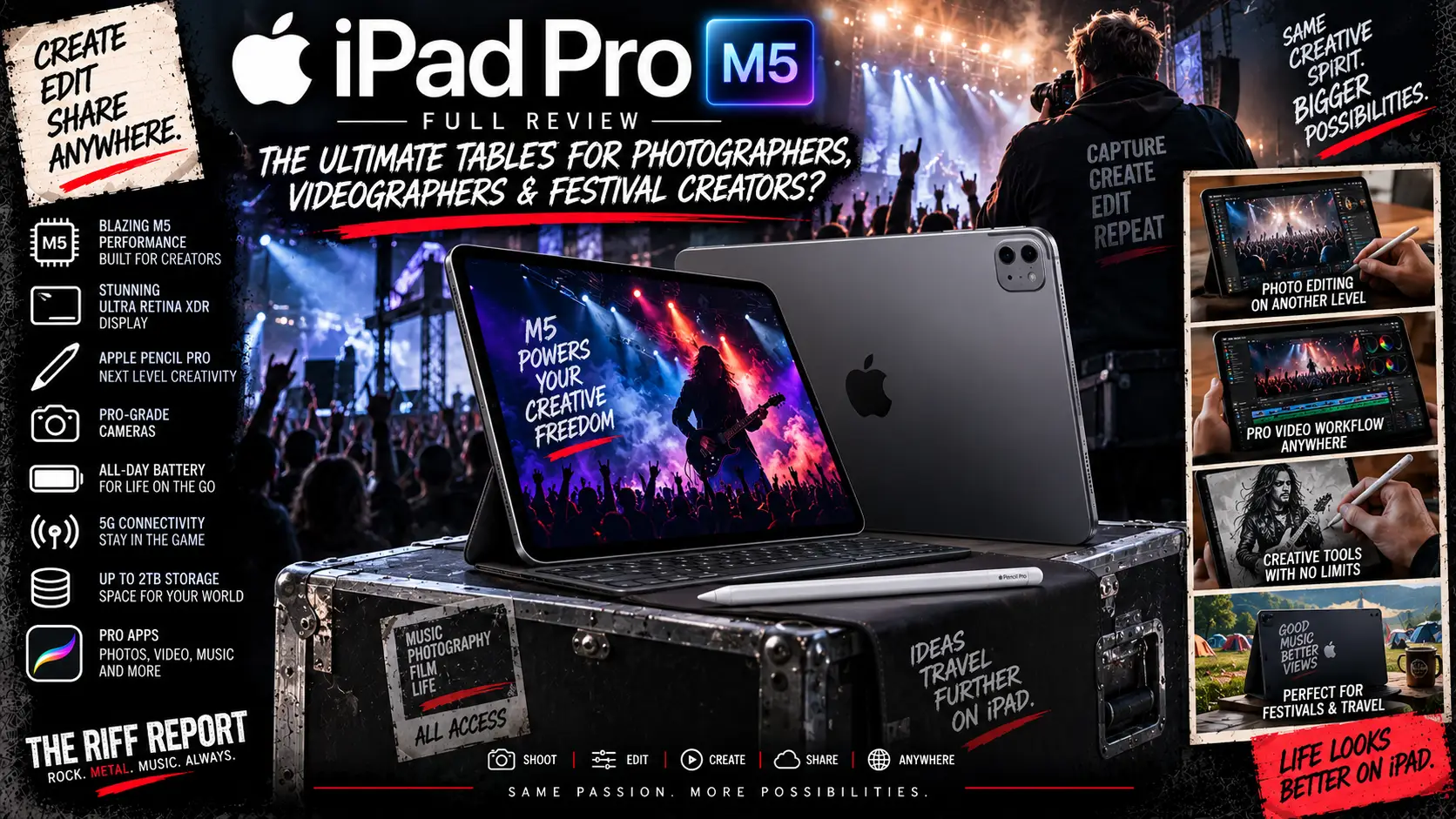
🆚 Galaxy Tab S11 Ultra Vs iPad Pro M5
This is the obvious fight.
Samsung Wins On:
- Larger 14.6-inch display
- microSD expansion
- Included S Pen
- IP68 protection
- Samsung DeX
- Android flexibility
iPad Pro Wins On:
- Raw processor performance
- Professional creative software
- Video-editing ecosystem
- Smaller portable options
- Thunderbolt connectivity
For serious Final Cut or DaVinci workflows?
iPad Pro.
For Lightroom, multitasking, storage flexibility and Android productivity?
Galaxy Tab S11 Ultra.
For festival photography specifically?
It’s surprisingly close.
Samsung’s IP68 protection, microSD support and included S Pen are extremely compelling.
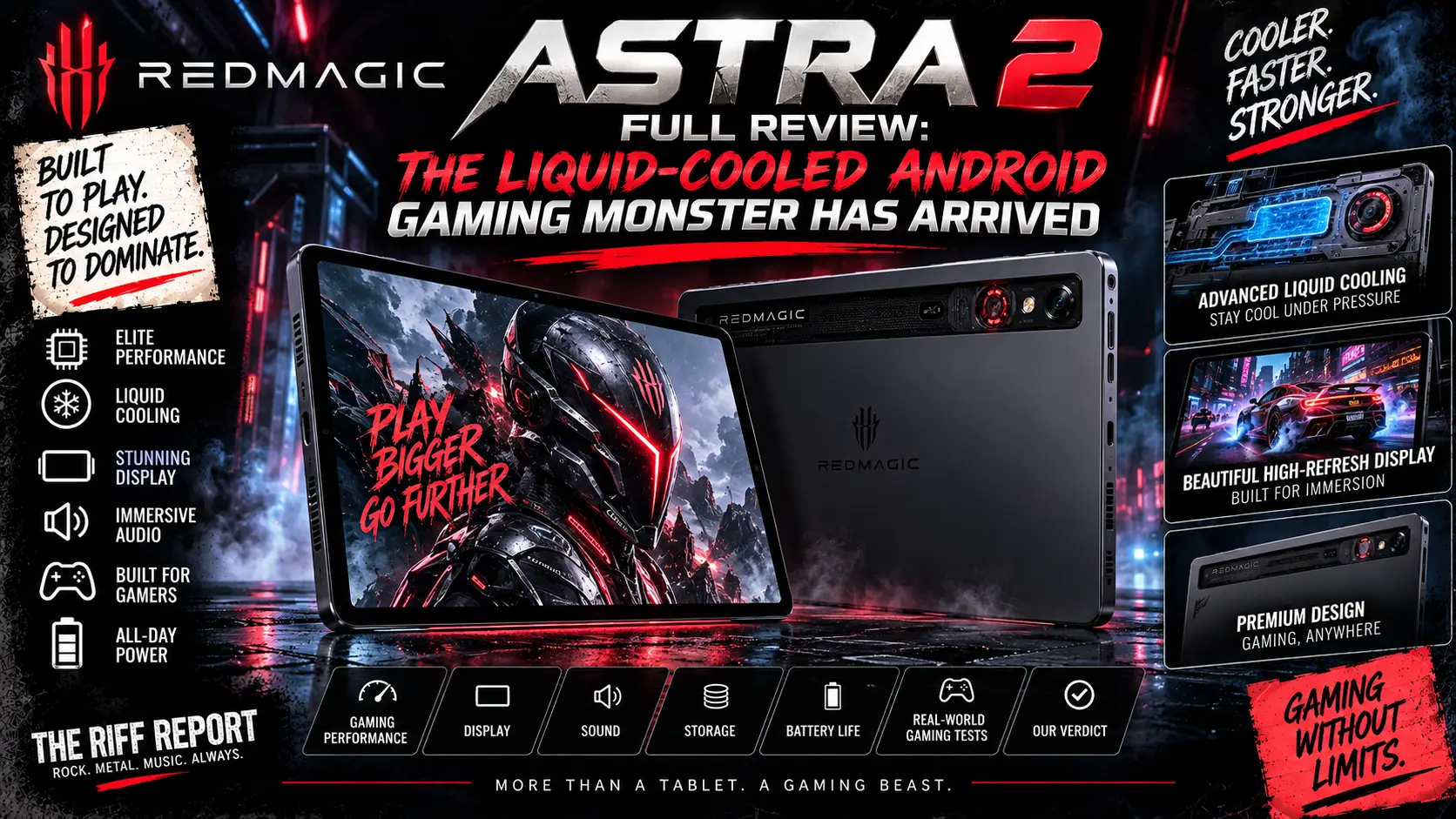
🆚 Galaxy Tab S11 Ultra Vs REDMAGIC Astra 2
These tablets almost couldn’t be more different.
REDMAGIC Astra 2
Compact.
Gaming focused.
185Hz.
Specialised cooling.
Far cheaper.
Galaxy Tab S11 Ultra
Huge.
Productivity focused.
120Hz AMOLED.
S Pen.
DeX.
microSD.
5G option.
IP68.
For pure gaming?
REDMAGIC.
For editing and productivity?
Samsung.
For carrying around a muddy festival for twelve hours?
Honestly?
Your shoulders will probably vote REDMAGIC.
👍 What We Love
- Gorgeous 14.6-inch Dynamic AMOLED 2X display
- 120Hz refresh rate
- Excellent brightness
- Anti-reflective screen treatment
- Brilliant for Lightroom
- Huge workspace for video
- S Pen included
- microSD expansion up to 2TB
- 12GB RAM standard
- 16GB available
- Excellent DeX multitasking
- Strong performance
- Great quad speakers
- Massive battery
- Wi-Fi 7
- Optional 5G
- IP68 protection
- Thin 5.1mm body
- Premium construction
- Long software-support window
👎 What Could Be Better
- £1,199 starting price
- Absolutely enormous
- Nearly 700g without accessories
- Keyboard pushes setup beyond 1kg
- Book Cover Keyboard Slim lacks a trackpad
- Only one USB-C port
- Charger isn’t included
- 45W charging isn’t particularly aggressive
- Android still lacks some professional creative applications
- Apple M5 performance is considerably stronger
- Cameras are nothing special
- 1TB/16GB configuration becomes very expensive
- Not comfortable for prolonged handheld use
🏆 Which Galaxy Tab S11 Ultra Should You Buy?
🥉 Best Value
256GB Wi-Fi – £1,199
Best if you’re happy using microSD and external storage.
🥇 Riff Report Recommendation
512GB Wi-Fi – £1,299
This is the sweet spot.
You double the internal storage for £100.
Twelve gigabytes of RAM remains plenty.
microSD expansion gives you enormous future capacity.
For most photographers and creators, this is the one.
📶 Best For Festival Press
512GB 5G – £1,449
Expensive.
But having your own cellular connection is enormously useful at festivals.
🚀 Ultimate Version
1TB / 16GB / 5G – £1,699
Everything switched on.
Maximum internal storage.
Maximum RAM.
5G.
Maximum financial damage.
🎪 Riff Report Festival Test
How would we rate it specifically for a weekend festival?
Screen
10/10
Fantastic for checking photographs.
Battery
9/10
Strong endurance, though heavy editing demands a power bank.
Weather Resistance
9.5/10
IP68 is extremely welcome.
Portability
6.5/10
It’s bloody enormous.
Photography
9/10
Lightroom + S Pen + AMOLED is an excellent combination.
Video
8/10
Hardware is strong; Android software remains the limiting factor.
Writing
9/10 with keyboard
DeX makes article writing genuinely practical.
Connectivity
9.5/10 on 5G model
Ideal for uploading from venues and festivals.
⭐ The Riff Report Scores
🖥️ Display: 10/10
📸 Photography: 9/10
🎬 Video Editing: 8/10
🚀 Performance: 9/10
✏️ S Pen: 9.5/10
💾 Storage: 10/10
🔊 Sound: 9/10
🔋 Battery: 9/10
⚡ Charging: 7.5/10
⌨️ Productivity: 9/10
🎮 Gaming: 8.5/10
🌧️ Durability: 9.5/10
🎪 Festival Portability: 6.5/10
💷 Value: 8/10
🏆 Overall Riff Report Score: 9/10
🏁 The Riff Report Verdict
The Samsung Galaxy Tab S11 Ultra is a wonderfully excessive piece of technology.
A 14.6-inch AMOLED tablet doesn’t make sense for everybody.
It’s too large for casual handheld use.
It’s expensive.
The optional keyboard isn’t perfect.
Android’s professional video ecosystem still trails Apple’s.
And Samsung really could have thrown a charger into the box when asking for £1,199.
But look at what you do get.
One of the biggest and best displays available on an Android tablet.
Excellent performance.
Huge amounts of RAM.
Expandable storage.
An S Pen included as standard.
IP68 protection.
Strong speakers.
Excellent battery endurance.
5G if you need it.
And Samsung DeX transforming the whole machine into something surprisingly close to a proper desktop workstation.
For photographers, particularly, this is an incredibly appealing package.
The huge AMOLED panel makes Lightroom editing a joy.
The S Pen is brilliant for precise masks.
microSD expansion helps manage enormous libraries.
IP68 gives festival photographers some additional reassurance.
And a 5G configuration can get edited images online without relying on venue Wi-Fi.
Videographers have a slightly harder decision.
The hardware is absolutely capable.
The screen is brilliant.
The processor is quick.
But Apple’s M5 iPad Pro still has the stronger professional creative software ecosystem and much more raw processing power.
So our recommendation becomes fairly simple.
Photographers?
Absolutely worth considering.
Journalists?
Excellent — particularly with DeX and 5G.
Video creators?
Very good, but check your software first.
Gamers?
Excellent, although REDMAGIC offers a more focused gaming experience for considerably less money.
Someone wanting a cheap tablet for Netflix?
Run away immediately before your bank account notices what you’re doing.
For The Riff Report’s kind of work — photography, writing, social media, gig coverage and festival content — we’d pick the 512GB Wi-Fi version at £1,299, or stretch to the £1,449 5G model if uploading content from festivals forms a major part of the job.
It’s not really a giant tablet.
It’s closer to a portable Android command centre.
And if you’ve got the backpack space — and the budget — it’s an absolute beast.
🤘 Final Word
The Samsung Galaxy Tab S11 Ultra takes everything brilliant about premium Android tablets and turns the volume knob until it snaps off.
Huge AMOLED screen. Massive battery. S Pen. DeX. Expandable storage. IP68. 5G.
It isn’t small.
It isn’t cheap.
And it definitely isn’t subtle.
But for photographers, creators and festival media teams wanting the biggest Android workstation Samsung can build, the Galaxy Tab S11 Ultra absolutely rocks. 📱🔥📸🎬🤘